

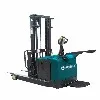

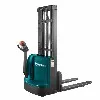
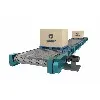

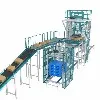
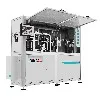

Production advantages
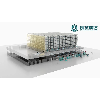
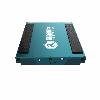
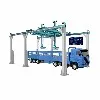
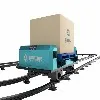
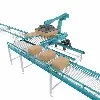
Fortucky has two 5G super factories and R&D centers, covering an area about 100,000 square meters. The 5G super factories is not only a technology center with advanced R&D strength and integration capabilities, but also is the largest manufacturing base for Fortucky, and is a beacon-like existence in the logistics industry.
Team building
We have a research and development team led by several doctors and masters, and have established extensive cooperative relations with many well-known domestic high-efficiency institutions, jointly undertaking a number of national, provincial and municipal scientific research projects. After nearly 20 years of development, the company has established an excellent research and development team integrating professional talents in mechanical design, electrical design, PLC control and software control.
R&D Strength
We attach great importance to the construction of the R&D system, establish a scientific research integration strategy, gather global scientific and technological R&D talents, and continuously increase R&D investment. The annual R&D investment is as high as 100 million CNY and we have obtained more than 300 intellectual property rights and established a complete intellectual property system.
Complete After-sales Service System
The Fortucky after-sales service system has the advantages of intelligent systems, flexible intelligent solutions and reliable operation systems. It can respond to needs quickly, including designing systems with complex requirements and making on-site adjustments when problems arise.
What Is System
System software is a program designed to run a computer's hardware and applications and manage its resources, such as its memory, processors, and devices. It also provides a platform for running application software, and system software is typically bundled with a computer's operating system.


Benefits of System
Increased Efficiency
Business systemisation requires that you document processes and procedures. Outlining processes step-by-step will allow you to more easily identify mistakes and unnecessary actions that have crept into day to day operations. In turn, this means you get to make these processes more streamlined and efficient, leading to reduced costs and timelines while freeing up more time for higher value work.
Better Prioritisation
Good systems manage the prioritisation of tasks within a business. The system will guide team members to select and complete tasks based on an agreed priority. In effect, the system acts as a “traffic cop,” directing team effort to the highest priority task based on criteria based on analysis and authorised by management.
Cost Reduction
One of the key benefits of systemising your business is that you will vastly reduce the unnecessary steps and wastage, resulting in a measurable improvement in costs. Mapping or documenting processes will inevitably show up the inefficiencies in terms of Time, Cost and Quality. For example, saving one hour every week will free up 50 hours a year which can now be applied to planned, productive tasks. Small cost savings add up to a significant saving across the business.
Employee Development
Systemisation does not end with documenting processes and procedures. It is an ongoing process that can help with supporting employee development. Developing a profile document for each employee and periodically updating it is a good way to track employee growth over time. It can be used to track training and qualifications they have acquired, and to note down inconsistencies and other performance issues.
Business Growth and Scale
Businesses grow when they can provide more products and services or secure a larger market share. They scale when they multiply their delivery vehicles, providing additional branches or outlets, or expanding into new markets.
Better Communication
A major benefit of systemising your business is that there is a single view of each process. This means that anyone observing the process will see the same thing as any other observer, and communication about the process will be less ambiguous based on this shared understanding of how the process should work.
Tasks Performed by an Operating System
Operating systems handle various tasks, from managing system resources to providing user interfaces.
Resource Management: Resource management is one of the most critical tasks performed by an operating system. This includes managing the CPU, memory, and I/O devices. The operating system must ensure that various processes can access these resources as needed while preventing conflicts between processes.
User Interface: Another important task of the operating system is providing a user interface. This interface can be a graphical user interface (GUI) or a command-line interface (CLI). The operating system handles user input and provides output.
Process Management: Operating systems are responsible for managing the various processes running on a computer system. This includes managing the processor, memory, and other hardware resources. The operating system ensures that each process gets the resources it needs to run properly. Additionally, it manages communication between processes and provides various other services.
File Management: Operating systems perform several tasks related to file management, including creating, deleting, and moving files. The operating system is responsible for keeping track of where files are located and accessing them correctly. File management is critical to any operating system, as it ensures that files are stored securely and correctly. With effective file management, using a computer becomes easier.
Memory Management: An operating system is responsible for managing a computer's memory. This includes allocating memory to different programs, tracking which parts of memory are used by which programs, and reclaiming memory when it is no longer needed.
Memory management is a critical part of the operating system's job and must be done carefully to ensure smooth system operation. If memory is managed incorrectly, programs can interfere with each other, leading to system instability.
Several techniques can be used for memory management, and the operating system typically employs a combination. Some of the most common techniques include paging, segmentation, and caching.
1.Paging: A technique where memory is divided into small pages, with each program assigned its own page.
2.Segmentation: Here, memory is divided into segments, and each program is given its segment.
3.Caching: This technique stores frequently used data in a specific area of memory called a cache.
Memory management is complex, and the operating system must carefully balance the needs of all the programs running on the system. By combining different techniques, it can ensure that memory is used efficiently and that the system runs smoothly.
Device Management: Device management is the process of allocating and deallocating resources to and from devices connected to a computer system. The operating system manages the devices connected to the system and ensures they function correctly. This includes detecting new devices, installing drivers, and configuring devices. It is also responsible for maintaining a list of all devices connected to the system and their current status.
Other Important Tasks: Operating systems also play a role in security, ensuring that only authorized users can access system resources. Additionally, operating systems can provide networking capabilities, allowing computers to communicate with each other.
Uses of System Software
Here are some common uses of system software:
Operating Systems
An operating system is a type of system software that manages computer hardware and software resources and provides common services for computer programs. Operating systems are used in a wide variety of applications, from personal computers to servers, supercomputers, and embedded systems.
01
Device Drivers
Device drivers are a type of system software that allows operating systems to communicate with hardware devices such as printers, scanners, and graphics cards. Without device drivers, operating systems would not be able to interact with hardware devices, rendering them ineffective.
02
Firmware
Firmware is a type of system software that provides low-level control over hardware devices, including BIOS firmware, firmware for embedded systems, and firmware for network devices such as routers and switches.
03
System Utilities
System utilities are a type of system software that performs routine maintenance tasks such as disk cleanup, defragmentation, antivirus scanning, and system backups. These utilities help ensure that the computer system runs efficiently and securely.
04
Programming Tools
Programming tools are a type of system software used by developers to create, debug, and optimize software applications. These tools include compilers, debuggers, integrated development environments (IDEs), and performance analysis tools.
05
Information system management is a crucial part of understanding what is information system. It is essential to ensure effective and safe use of information systems and prevent data breach. Popular controls or technological and operational measures to manage information systems include:
1. Set Policies and Procedures
One of the best ways for organizations to effectively manage information systems is to define policies and procedures for the use and implementation of information systems and data sharing. This measure is also administrative control. The management publishes a control policy, segregates the duties of team members to monitor information systems, and hires personnel for auditing various processes.
2. Conduct Regular Audits
Information system management also involves tracking system access and login trails, the flow of data, and assessing the efficiency of an information system. Organizations hire both internal and external information technology auditors to review system performance, documentation, and changes.


3. Operations Management
As understood from what is information system, it is clear that these technological frameworks store significant amounts of confidential data. Therefore, companies have to ensure proper operational control to protect confidential data. It involves proper documentation, limiting access to data servers, and managing data archives.
4. Physical Protection
Software protection does not suffice. Information system management also involves the physical protection of hardware and data centers. Organizations implement environment controls to ensure appropriate temperature in data server rooms, power controls for continuous power supply, and avoiding disruption in services.
5. Identity Verification
Data security is one of the biggest challenges for organizations implementing information systems. Therefore, one way to ensure the security of an information system is to establish secure coding practices, use firewalls, and implement identity verification through fingerprints, voice features, or face recognition.
Features of System Software
Memory Management
Memory management refers to the process of managing main memory and primary memory. The operating system keeps track of the primary memory and allocates and deallocates memory. It allocates memory when a process requests it, deciding which process gets memory, when, and how much. Every word and byte in main memory has an address, and they are arranged in an array.
File Management
A file system is always organized into directories (which may contain subdirectories or files) for easy navigation. The tasks of the operating system in managing files and directories include:
1.Tracking information and details of a file.
2.Deciding who gets resources based on priority.
3.Preventing deadlock situations.
Process Management
The operating system performs process management by allocating main memory (RAM) to a process and deallocating it when it is no longer required. It organizes resources according to priority. Next, the operating system assigns resources to a process while managing the effect of allocation on other functions, known as process scheduling.
Keep Your System Updated: Operating system updates, driver updates, and software patches are essential for improving security and performance. Set your computer to automatically install updates or check for them regularly to ensure you’re running the latest versions.
Install Antivirus Software: Protecting your computer from malware is crucial. Install reputable antivirus software and keep it up to date. Schedule regular scans to detect and remove any potential threats that may have slipped through.
Clean Your Computer
Dust and debris can accumulate inside your computer, leading to overheating and hardware damage. Periodically open your computer’s case (if it’s a desktop) and use compressed air to clean out the dust. For laptops, use compressed air to clean the vents and cooling fans.
Manage Startup Programs
Over time, your computer can become slow to boot up due to too many unnecessary programs launching at startup. Disable or remove programs you don’t need from the startup list to speed up boot times.
Backup Your Data
Regular data backups are essential to prevent data loss in case of hardware failures or other unforeseen circumstances. Use external hard drives, cloud storage, or backup software to create automatic backups of your important files.
The group has more than 300 independent core intellectual property rights and over 1,000 global service cases. Its main customers include Huawei, Mengniu Dairy, CATL (Contemporary Artificial Intelligence), Mercedes-Benz, BMW, BYD, Tesla Inc, CNPC, Sinopec, PSBC, XCMG Group,Baowu Group and Zoomlion other industry leaders. Its projects cover fast-moving consumer goods, steel, silicon-based, construction machinery, automobiles, cold chain, electronics, pharmaceuticals, new energy, chemicals, agriculture and other fields.


Certifications


FAQ
We're professional system manufacturers and suppliers in China, specialized in providing high quality customized service. We warmly welcome you to buy system in stock here from our factory. Quality products and low price are available.
Point Cloud Algorithm System, Warehouse Control System, system